

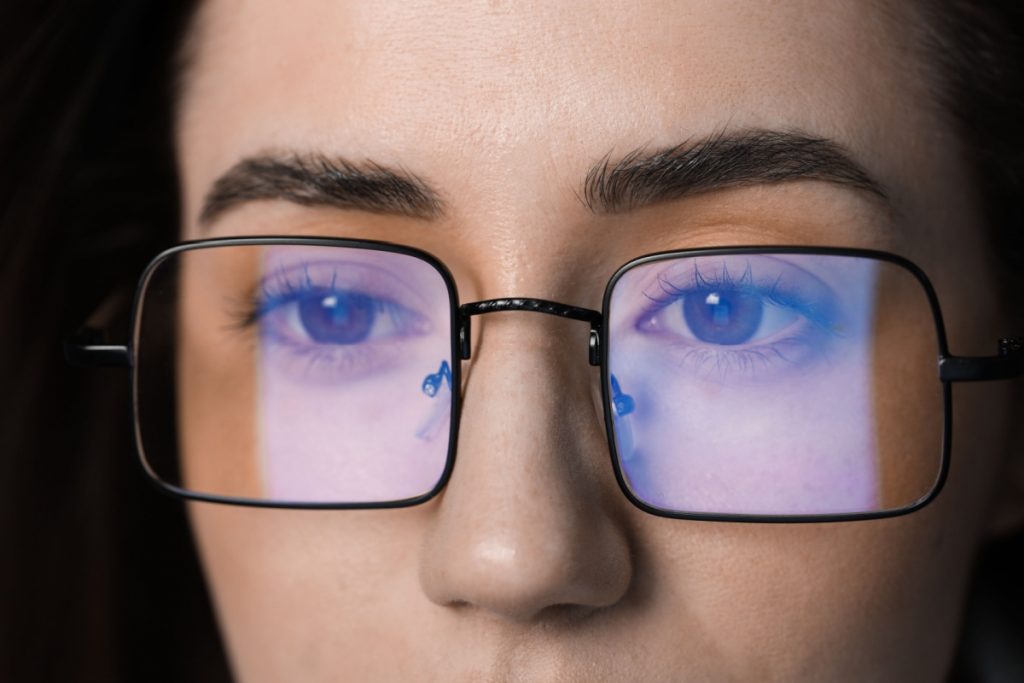
You’ve probably seen those trendy glasses with slightly yellow-tinted lenses everywhere — from your coworker’s desk to social media ads promising to cure your tired eyes. Your screens bombard you with blue light all day, and those headaches after long work sessions feel all too real. If you’re wondering whether Calgary Optometry Centre can help you understand these popular glasses, you’re not alone — families across Calgary are asking the same questions about blue light glasses and eye strain relief.
Blue light glasses can help with sleep disruption if you use screens before bed, but they won’t fix the eye strain you feel after staring at your computer all day. The real issue behind your eye fatigue isn’t blue light at all — it’s how you use your devices.
What Blue Light Glasses Actually Do & Don’t Do
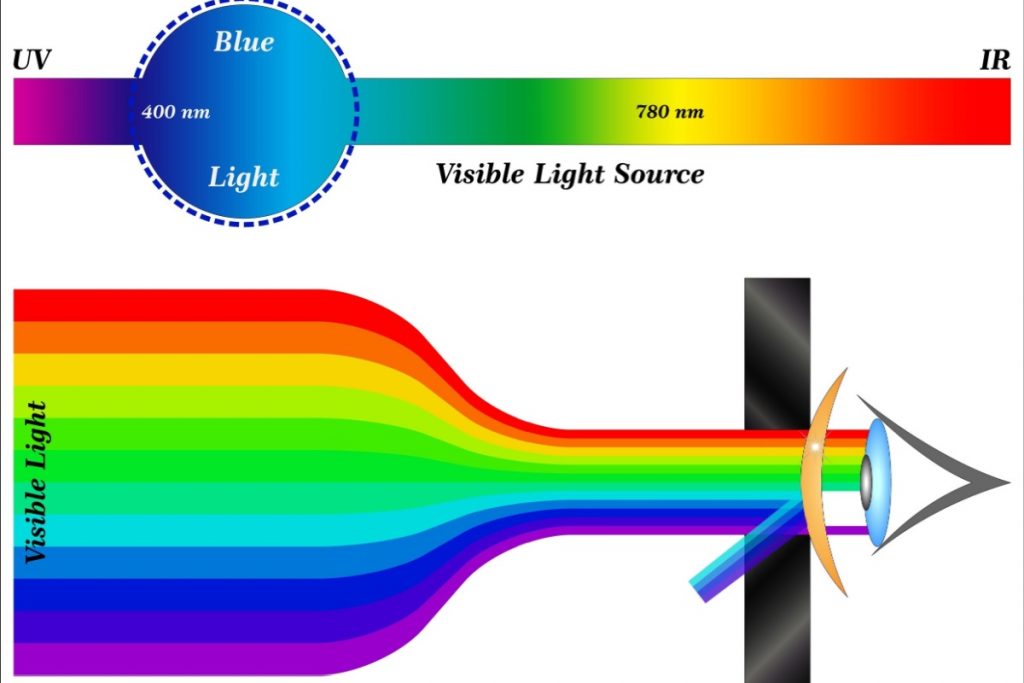
Blue light glasses filter specific wavelengths of light that come from your phone, computer, and tablet screens. The yellow or amber tint you see in the lenses blocks some of this blue light from reaching your eyes.
Here’s what might surprise you: these glasses won’t relieve that gritty, tired feeling you get after a long day of screen time. Digital eye strain comes from how you use your devices, not from the blue light itself.
Where blue light glasses might help is with your sleep. If you scroll through your phone before bed or work late on your laptop, blue light can disrupt your natural sleep cycle. Filtering this light in the evening may help you fall asleep easier.
The Real Issue Behind Your Eye Health & Night Driving Problems
When you focus on screens for hours, your eye muscles work overtime to maintain clear vision. Think of it like holding a heavy book at arm’s length — your muscles get tired from the constant effort.
You also blink about one-third less often when looking at screens. Normal blinking spreads tears across your eyes to keep them moist. Less blinking means drier, more irritated eyes by the end of your workday.
Poor screen positioning makes everything worse. If your monitor sits too close, too far, or at the wrong angle, your eyes strain even harder to maintain focus. Your neck and shoulders might ache too from leaning forward or tilting your head.
This accumulated eye fatigue throughout the day can make night driving more challenging. When your eyes are already tired from screen work, they struggle more with glare from oncoming headlights and street lights. You might notice halos around lights or difficulty adjusting between bright headlights and dark roads.
Simple Solutions That Actually Work for Eye Health
The 20-20-20 Rule for Screen Time
Every 20 minutes, look at something 20 feet away for at least 20 seconds. Focus on something distant like a tree outside your window, the end of the hallway, or a building across the street. This simple break relaxes the muscles that keep your eyes focused on nearby objects.
Set a timer on your phone or use computer software to remind you. Even a quick glance out the window or across the room can give your eyes the rest they need. The 20-20-20 rule offers proven relief for screen-related fatigue.
Better Screen Habits for Your Family
Position your screen about arm’s length away — roughly 20 to 26 inches from your face. The top of your monitor should sit at or slightly below eye level so you look down at the screen at a 10-15 degree angle. This reduces neck strain and helps your eyes stay properly lubricated.
Adjust your screen brightness to match your surroundings. A screen that’s much brighter or dimmer than the room around it makes your eyes work harder. Remember to blink deliberately when you catch yourself staring intently at your device. These habits can also prevent digital eye strain before it starts.
Practice the “blink-blink-blink” technique: Intentionally blink 10 times slowly every time you finish reading a paragraph or complete a task. This helps compensate for your naturally reduced blink rate during screen time.
Reduce overhead glare by positioning your screen perpendicular to windows rather than directly in front of or behind them. Use desk lamps with adjustable arms to provide even lighting that doesn’t reflect on your screen.
Anti-Reflective Coatings vs Blue Light Filters
Anti-reflective coating reduces glare from all light sources — overhead lights, windows, car headlights, and yes, your computer screen too. This coating helps with both daytime screen use and night driving by cutting down on distracting reflections.
You don’t need blue light filtering to reduce screen glare. Standard anti-reflective coating handles that job while also improving your vision in other situations like driving at night.
Blue light filtering specifically targets sleep disruption for people who use screens in the evening. If you rarely use devices before bed, this feature won’t provide noticeable benefits.
When Glasses Actually Help
If screens aren’t the problem
Many people discover their “screen fatigue” actually comes from outdated prescriptions or uncorrected vision issues. During a comprehensive eye exam, your optometrist checks whether focusing problems, astigmatism, or other conditions contribute to your discomfort.
If you need computer-specific glasses
Some people benefit from prescription glasses optimized for their typical screen distance, especially if they need different prescriptions for distance and near vision. These aren’t about blue light filtering — they’re about having the right focal length for your workspace.
If you want blue light filtering
For families with teenagers who use devices late at night or adults who work evening shifts on computers, adding blue light filtering to your prescription might support better sleep. This works best as part of good sleep hygiene, not as a replacement for it.
Find Real Solutions for Your Screen Discomfort
The team at Calgary Optometry Centre can assess your specific vision needs and recommend whether specialized lenses would benefit your situation. During your comprehensive eye exam, we’ll check for underlying vision issues that might be contributing to your screen-related fatigue—like uncorrected astigmatism, focusing problems, or outdated prescriptions.
Book your eye exam today to identify the real source of your discomfort and get solutions that actually work for your family’s eye health.